We are currently experiencing payment processing issues. Our team is working to resolve the problem as quickly as possible. Thank you for your patience
Animated avatar problem

1

Hi all
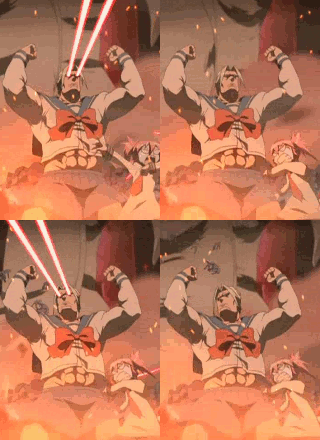
I want to upload this avatar,

but no matter what i try (resize, make it smaller...) it keeps sending me to the cropping page after upload it and making the animation disappear.
I want to upload this avatar,
but no matter what i try (resize, make it smaller...) it keeps sending me to the cropping page after upload it and making the animation disappear.
0

Not like you could use that avatar anyway, Jacob made a rule against having dicks and/or vaginas in avatars.

1
lazyasschillypepper wrote...
Not like you could use that avatar anyway, Jacob made a rule against having dicks and/or vaginas in avatars.LOL OK. Then I wont use it, at least not letting people see that area xD
Edit:
here's the one:

As you can see i have tryed to upload it again with no luck. Cropping problem again
0

Believe me, the avatar function is messed up. See my avatar?
<-------- It's supposed to be a .gif, but something keeps messing up, and it's even turned into a screen of orange. (like, wtf?)
<-------- It's supposed to be a .gif, but something keeps messing up, and it's even turned into a screen of orange. (like, wtf?)

0
g-money wrote...
Believe me, the avatar function is messed up. See my avatar?<-------- It's supposed to be a .gif, but something keeps messing up, and it's even turned into a screen of orange. (like, wtf?)
lol yeah, it seems is a common problem for what i can see.
OK staff. Please, fix this ;D
0
If I recall you can not use gif images or there not supported :no code for it:
I've never seen a user with one though I could be wrong
I've never seen a user with one though I could be wrong
0
Shinji Ex wrote...
If I recall you can not use gif images or there not supported :no code for it: I've never seen a user with one though I could be wrong
There are A LOT of users with animated avatars.
Here some examples: (i should thank users i have seen to do this xD)
Animeholic
Taboo
Klatoo
ZeroOBK
Afro Thunda
Again, thanks to these users i have found to post their avatars :)
0
GIF avatars that were added pre-apocalypse are still working, but the tool is now a bit broken and won't let you add them. Likewise it requires you to crop an image regardless of the size, which reduces the quality of something already within the limit.
Simply put, use a regular image knowing it won't be as sharp as the original, or wait it out until Jacob fixes things up.
Simply put, use a regular image knowing it won't be as sharp as the original, or wait it out until Jacob fixes things up.
0

AlivEc0cK wrote...
There are A LOT of users with animated avatars.Here some examples: (i should thank users i have seen to do this xD)
Animeholic
Taboo
Klatoo
ZeroOBK
Afro Thunda
Again, thanks to these users i have found to post their avatars :)
doswillrule wrote...
GIF avatars that were added pre-apocalypse are still working, but the tool is now a bit broken and won't let you add them.^ This. It is just yet another thing that is currently broken as Fakku is overhauled.
0
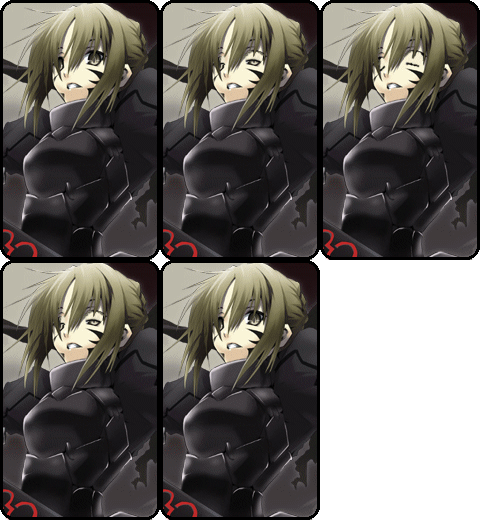
Hey guys check out my awesome blinking avatar. Neat huh?
Seriously though. Now that I know that people are having problems with the system, I am not gonna change it to the new gif I made.
Seriously though. Now that I know that people are having problems with the system, I am not gonna change it to the new gif I made.
0
I'd suggest not even changing avatars at all. The delete avatar function doesn't work either, nor does changing the avatar to a .jpeg.
0
Animeholic wrote...
Hey guys check out my awesome blinking avatar. Neat huh? Seriously though. Now that I know that people are having problems with the system, I am not gonna change it to the new gif I made.
lol yeah, better dont change it
Unos Hambalos wrote...
Cropping the avatar here causes the animation to stop so I would upload an avatar with the size of 160 x 260 px or smaller. But since the cropping screen appears everytime you uploaded an avatar, no matter what it's size, there's no way to have an animated avatar at the moment unless you have uploaded them beforeExactly. Well, I hope this get fixed soon ^_^
0

doswillrule wrote...
GIF avatars that were added pre-apocalypse are still working, but the tool is now a bit broken and won't let you add them. Likewise it requires you to crop an image regardless of the size, which reduces the quality of something already within the limit.Simply put, use a regular image knowing it won't be as sharp as the original, or wait it out until Jacob fixes things up.
Give Jacob and the IT personnel some time and they will eventually fix the problem, provided it isn't too completed.
And to a certain extent, I am glad I stuck with my current avatar ever since I joined Fakku. Unfortunately, no one seems to remember it. :(
0
luinthoron
High Priest of Loli

Gambler wrote...
And to a certain extent, I am glad I stuck with my current avatar ever since I joined Fakku. Unfortunately, no one seems to remember it. :(Don't worry, some of us do.